














Tuesday, 12 August 2008

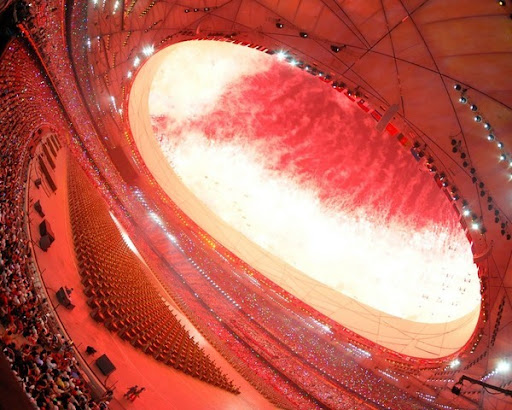
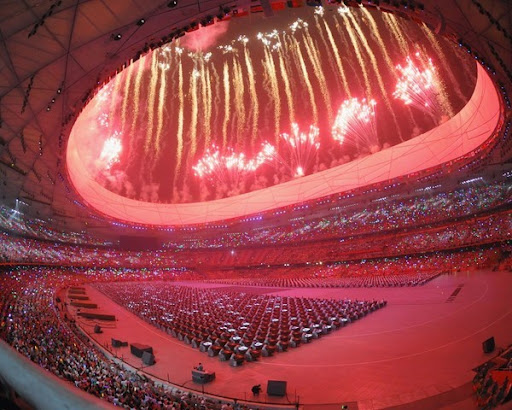
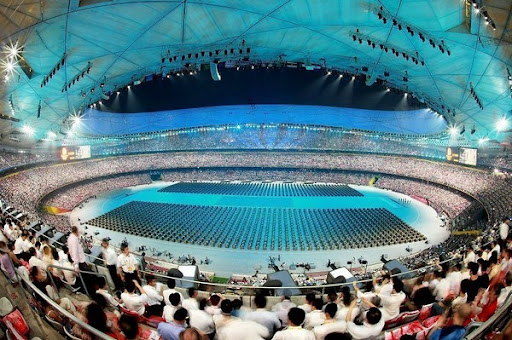
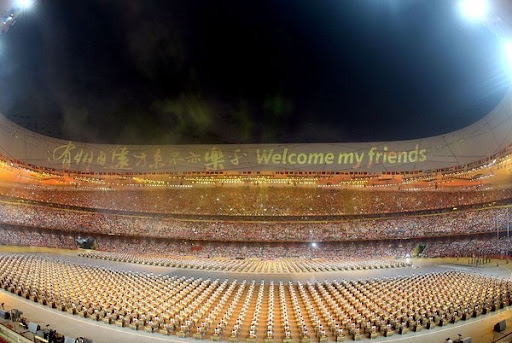
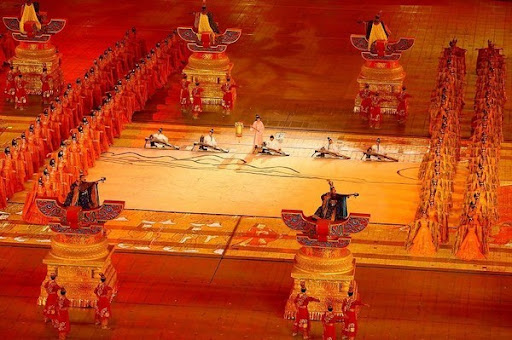
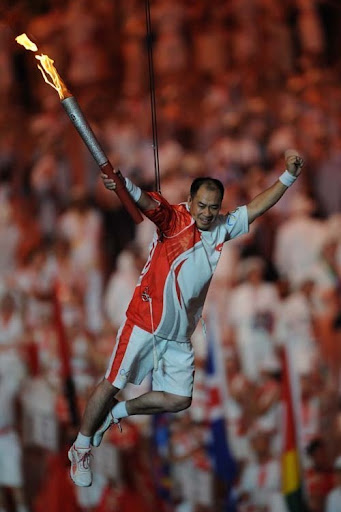
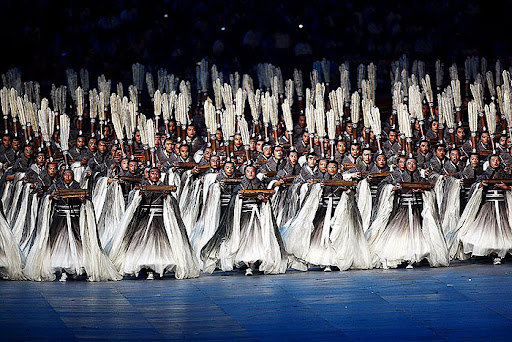
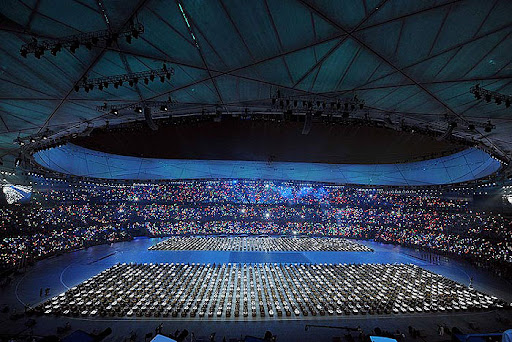
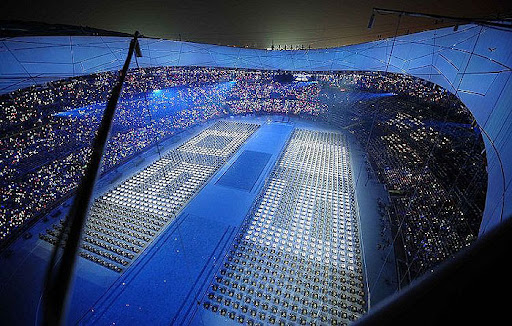
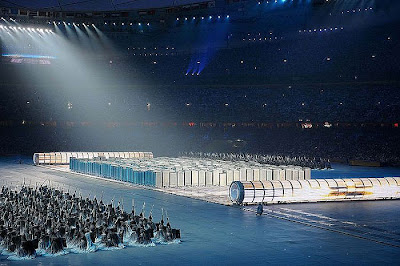
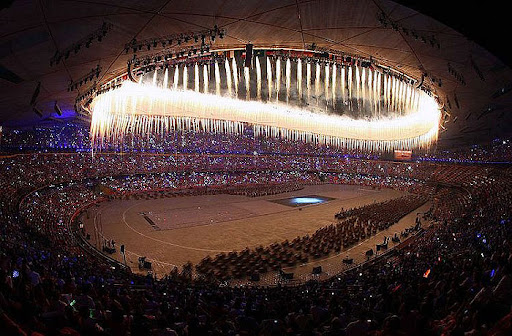
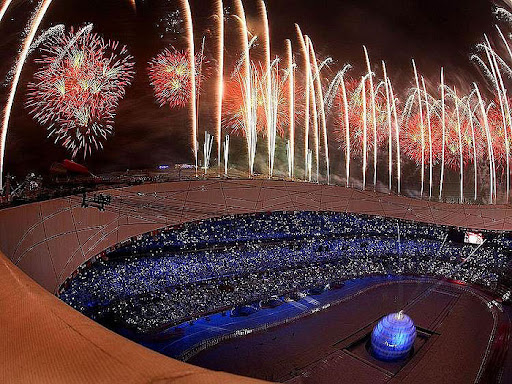
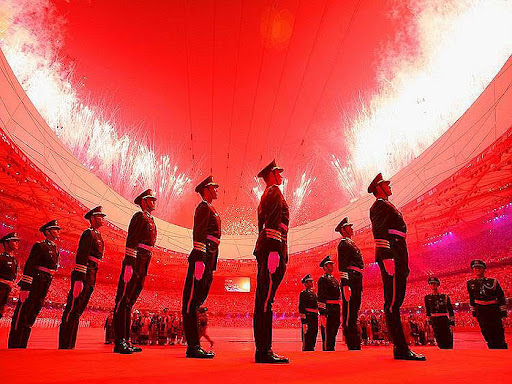
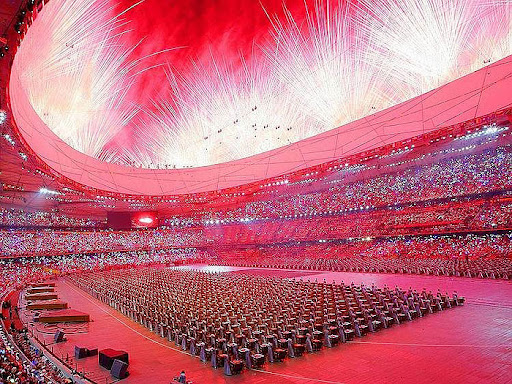
Spectacular Beijing 2008 Olympic Openning, Proud and excited


Saturday, 9 August 2008

无法抑制的激动

Thursday, 7 August 2008

Good and bad post

每天上午在家苦等两个星期的两样东西都没到,结果都要电话查询。麻烦。

1。昨天费了牛劲从北边跑到西北去取自己网上买的DV,送给未来的外甥的,然后又辗转跑到南边的学校。都是因为这个city link的邮递公司是下午送货上门。偏偏我们家小区下午闲杂人等无法入内,所以,他们也没办法留个条给我。

2。去HSBC补个卡,怎么都不到,今天去银行查询,原来他们没有把卡寄到我家,而是到了我的开户行。

总的看来,英国邮寄还是靠谱的,时间短,可靠性高,但是就是各有各的政策,没事多打电话盯着点就一切都ok拉。

Wednesday, 6 August 2008

首次被拒

今天应该纪念一下,发了几天的cv,就挑那些吓人的公司投的,今天突然首次收到官方的reject。一个是西门子以emai的方式,另外一个是FDM academic直接电话打来,被拒原因相同:不提供work permit。
Anyway,总算是一个开头,也不算坏,毕竟拒我是因为这样一个类似户口的问题,并非本人内在原因,多少安慰一下自己。

Misco网上买的东西的邮递也给我拒了,说他们有专门的邮递队伍,下午送货,进不了我家的小区。哎,无奈,相比其他购物网站,能有一支自己的邮递队伍,确实不错,但是这效果还不如走邮局呢,害的我还要大老远跑到brent那边自己去取,我那4镑的邮费真是可惜了。看来队伍太过庞大和专业也不太好,还是比较倾向于标准化的东西。

Sunday, 3 August 2008

a PHP script to transfer files between iphone and linux/mac computer

#!/usr/bin/php

<?php
# requirement:
# a)the work directory on PC/laptop is /home/cross/iphone, which you should modify to suit your situation.
# b)install php on iphone.

# To transfer file from PC to iphone:
# php trans.php FILETOTRANSFER
# To transfer file from iphone to pc:
# php trans.php -[anything] FILETOTRANSFER

$port_lsbu = 150;
$port_home = 75;

$athome = shell_exec("ifconfig"); // check where are you now.

if (substr($argv[1],0,1)=='-') { // get the first argument, if it starts with '-', then transfer from iphone
if(stristr($athome, '192.168.1.57') == FALSE) { // ip address of iphone at home is this, this command can find out where i am.
echo 'from iphone to lsbu pc';
$output = shell_exec("scp ./{$argv[2]} cross@136.148.98.{$port_lsbu}://home/cross/iphone/"); //using scp to transfer.
}else{
echo 'from iphone to home laptop';
$output = shell_exec("scp ./{$argv[2]} cross@192.168.1.{$port_home}://home/cross/iphone/");
}
}else{ // no option, which start with '-'. only what file to transfer.
if(stristr($athome, '192.168.1.57') == FALSE) {
echo 'from lsbu pc to iphone';
$output = shell_exec("scp cross@136.148.98.{$port_lsbu}://home/cross/iphone/{$argv[1]} .");
}else{
echo 'from home laptop to iphone';
$output = shell_exec("scp cross@192.168.1.{$port_home}://home/cross/iphone/{$argv[1]} .");
}
}

echo $output;
echo "done!";
?>

Britpop


----著名的britpop乐队
[编辑本段]

suede,the stone roses,oasis,blur,Snow Patrol,supergrass,pulp,Verve,Elastica,Placebo,travis,Mansun,coldplay,muse,radiohead,Geneva,the charlatans uk,The La's,Keane 等等

----25张优秀britpop专辑
[编辑本段]

同名专辑-----------------The stone roses:作为britpop起源之一,重要性不言而喻。
同名专辑---------------------------Suede:理由同上。
Dog man star-----------------------Suede:以其病态颓靡色彩颇受争议,但绝对好听。
Sci-Fi Lullabies-------------------Suede:B-side集合的典范之作,任何山羊皮迷不容错过。
Definitely Maybe-------------------Oasis:在06年的一场四万多名英国歌迷参与的评选中,它被评为了史上最佳专辑。
(What’s the story)Morning Glory---Oasis:在同一场评选中,它获得了第五名。一些绿洲歌迷认为,这张专辑更能代表oasis。
Modern Life Is Rubbish--------------Blur:认识Blur与britpop的入门之选。
Parklife----------------------------Blur:和上一张专辑不分上下的优秀之作,相比之下更加电气化。
The Great Escape--------------------Blur:作为Blur三部曲的最后一作,精彩依然。
Ok Computer--------------------Radiohead:公认的英伦摇滚与试验摇滚混合的代表作。
Invisible Band--------------------travis:全张专辑都是标志性的优美旋律,其内涵胜过travis之前的所有专辑。
Without You I'm Nothing----------Placebo:安慰剂以其无比华丽在britpop乐队重别树一帜。这是他们的代表作。
I Should Coco-----------------Supergrass:来自劲草乐队的优美之作。
同名专辑------------------------Elastica:充斥着朋克风味的britpop乐队。
X&Y-----------------------------Coldplay:这张专辑的风靡让他们成为了年度最赚钱摇滚乐队,可见其魅力。
Black Holes and Revelations---------Muse:以电气化britpop取胜的出色乐队。
Inside In Inside Out---------------Kooks:新晋britpop乐队,其亮色彩歌曲很动听。
Attack Of The Grey Lantern---------Mansun:很不寻常的一张专辑。
His 'n' Hers------------------------Pulp:很值得一听的专辑。
Northern Soul----------------------Verve:他们被称作新"Led Zepplin"。
Telling Stories------------Charlatans UK:一度被认为是britpop新旗帜性乐队。这是他们的复出之作,排行榜首位。
Hopes and Fears--------------------Keane:这支乐队出道不久就大受喜爱。
Further---------------------------Geneva:在中国不怎么被熟知的乐队,但这张专辑确实很出色。
Asquarius----------------------------Cud:同上。
Regeneration---------------Divine Comedy:他们拥有一个才华横溢的主唱。
Songs for Polarbears --------------Snow Patrol:近十年最经典的英伦乐队
When It's All Over We Still Have to Clear Up ----------------Snow Patrol:最经典的专辑之一
Final Straw -----------------Snow Patrol:同上
Eyes open--------------Snow Patrol:没有理由,听了便知
优秀的britpop专辑还有很多,这里只是抛砖引玉。
补充几张~~较新的
I wish I could win--------------The Afters:很好听的一张专集,特别是前三首。
We Leave At Dawn--------------Envy And Other Sins:一张较为经典的专集,2008年出道的这个乐队是由四个大男孩组成的,唱腔活泼俏皮。

Saturday, 2 August 2008

一些黑话,总也记不清

小小白:佳能 EF 70-200 mm f/4 L USM 镜头

小白:佳能 EF 70-200 mm f/2.8 L USM 镜头

大白:佳能 EF 100-400mm F/4.5-5.6 L IS USM 镜头

小白IS:佳能 EF 70-200 mm f/2.8 L IS USM 镜头

小黑:适马 70-200 mm F/2.8 HSM(超声波马达)镜头

大黑:适马 100-300mm F/4 APO EXIF HSM 镜头

大大黑:适马 300-800 F/5.6 EXIF HSM 镜头

小钢炮:尼康 80-200 mm F/2.8 镜头

大钢炮:尼康 AF-S VR Zoom-Nikkor 200-400mm F/4 G IF-ED 镜头


还有大家经常提到的XH、XGP之类的,其实就是拼音首字的缩写,XH表示小黑、XGP表示小钢炮。

Friday, 1 August 2008

howto: php: quote usage

Step 1 - PHP string basic


You can set a string in three different ways. It's up to you what method do you use, all have pros.
  1. The
    first and most known way is to specify a string in single quotes.
    Similar to other programing languages you need to use backslash '\' if
    you want to display a single quote in your text.
    Code:
    1. <?php
    2. $str_1 = 'Demo text';
    3. $str_2 = 'Demo text with single quote(\')';
    4. echo $str_1;
    5. echo $str_2;
    6. ?>
  2. The
    second option to use double quotes. Between double quotes you can use
    more escape character in your string. Besides this if you put a
    variable in the string then PHP will interpret it and display the
    content of the variable.
    Code:
    1. <?php
    2. $str_1 = "Demo text";
    3. $str_2 = "Demo text with double quote(\")\r\n";
    4. $demo = "Internal";
    5. $str_3 = "This is a $demo string";
    6. echo $str_1;
    7. echo $str_2;
    8. echo $str_3;
    9. ?>

    Here the most important part is the string defined as $str_3 and its output in line 8 will result this:

    Output:
    This is a Internal string


  3. And
    last you can use heredoc as well. In this case you define your text
    between heredoc identifiers. In this case it is DEMO. You need to start
    it with the operator <<< and then the identifier. If you are
    ready you need to close the heredoc part by adding the identifier again
    at the beginning of a new line like this:
    Code:
    1. <?php
    2. $str_1 = <<<DEMO
    3. This is a heredoc message
    4. Text.
    5. DEMO;
    6. echo $str_1;
    7. ?>

    As
    you can see the output is in the same formatting - text indent, new
    lines - as it was defined. You can use variables in case of heredoc as
    well as in case of double quoted strings.

The 2.
case is the most interesting string definition version so let's see a
bit more how to insert a variable inside a string. (You can use
variables in case 3. as well but heredoc is not so common.)


Step 2 - Variable parsing in string


Time to time you need to compose a complete text from sub strings
and variables. For example if you want to greet your visitor you want
to display a text like:

"Hello Peter, nice to see you again!"

Of
course you can not hard code the user name but you want to use a
variable like $userName. If you use single quoted strings then you can
display your text like this:

Code:
  1. <?php
  2. $userName = "Peter";
  3. echo 'Hello '.$userName.', nice to see you again!';
  4. ?>

Using double quotes you can make it more simple:

Code:
  1. <?php
  2. $userName = "Peter";
  3. echo "Hello $userName, nice to see you again!";
  4. ?>

The more variable you need to use the bigger is the difference.

After the basic case let's see some more complex variable parsing. What if you want to display the text:

"Peters website"

Using the above examples the $userName variable contains only the string Peter and if you compose your string as before:

Code:
  1. <?php
  2. $userName = "Peter";
  3. echo "$userNames website";
  4. ?>


You will get a warning and the result is not what you expected:

Output:
Notice: Undefined variable: userNames in Z:\wdocs\test.php on line 4 website

To solve this problem you need to enclose the variable in curly braces like in the following example:
Code:
  1. <?php
  2. $userName = "Peter";
  3. echo "${userName}s website";
  4. echo "{$userName}s website";
  5. ?>

As you can see it is possible to enclose only the variable name without the $ sign or the complete variable.

You have to use this solution in case of arrays as well in the following way:

Code:
  1. <?php
  2. $users = array('U1' => "Peter");
  3. echo "Hello {$users['U1']}, nice to see you again!";
  4. ?>


Thursday, 31 July 2008

Howto: trash files from other partitions into 'bin' on Ubuntu

Issue:
---------------------------
When you want to delete some files from another partition which is mounted, ubuntu will prompt you warns dialog, saying "Cannot move file to the Deleted Items folder, do you want to delete permanently?".

I always worried if I delete some files by impulse, because such kind of thing was done by me on Windows.

Solution:
---------------------------
For example, I am used to create a separate partition for '/usr/local' to install some third party big programs.

cross@crossphoto:~$ cd /usr/local/
cross@crossphoto:/usr/local$ sudo mkdir .Trash-1000
cross@crossphoto:/usr/local$ sudo chown cross:root .Trash-1000/

Now /usr/local just like my 'home' folders, if I delete something, I can find them in the 'deleted items'.

Trick/hint:
--------------------------
When other partitions are mounted by the boot, actually they are mounted by the user 'root'. So you, the current user, have no permission to move anything to other folder-bin on that partition.
So create one for yourself, and using sudo to give you the permission to 'write' in that folder. Done.

Wednesday, 30 July 2008

this is really nice. sigh...


牛B、装B、傻B之间的区别

牛B永远是少数,
  装B者普遍存在,
  傻B满山遍野到处都是。
  
  牛B的人只有一个女人,
  装B的人女人很多,
  傻B的人的女人的男人很多。
  
  牛B的人不在乎开车还是走路,
  装B的人出门必开宝马,
  傻B的人开吉利美人豹。
  
  
  牛B的人喝的是国宴特供,
  装B的人喝的是芝华士,
  傻B的人喝的是干红兑雪碧。
  
  
  牛B的人穿着板鞋去谈生意,
  装B的人穿者西服去音乐厅,
  傻B的人穿者盛装去麦当劳。
  
  牛B的人点烟别人给点,
  装B的人点烟用火柴,
  傻B的人点烟用zippo还在仔裤上玩花活。
  
  
  牛B的人和国人只说中国白话,
  装B的人爱夹杂着文言文,
  傻B的人说话爱中英文夹杂。Too simple, sometimes na?ve.
  
  牛B的人写文章有自己的风格,
  装B的人写文章爱模仿旧式口语,
  傻B的人写文章像CCTV。
  
  牛B的人有自己的生活方式,
  装B的人模仿别人的生活方式,
  傻B的人模仿不好别人的生活方式。
  
  
  牛B的人就是在游泳池里撒尿都不动声色,
  装B的人想学牛B的人在泳池里撒尿却因为上火尿出黄色液体。
  傻B的人直接在跳台上向泳池里撒尿。
  
  牛B的人需要相处一段时间才会觉得他牛B,
  装B的人刚开始相处觉得很牛B,时间长了才知道是装B,
  傻B的人一开始就让人觉得很傻B。
  
  
  牛B的人一般都自称傻B,
  装B的人也自称傻B,但生怕别人不知道自己牛B而装作牛B。
  傻B的人逢人就称自己牛B。
  
  牛B的人最怕别人说自己牛B,
  装B的人最怕别人说自己不牛B,
  傻B的人最怕别人说自己傻B。
  
  
  牛B的人知道自己牛B,
  装B的人以为自己牛B,
  傻B的人不知道自己傻B。
  
  有实力装B是牛B,
  没有实力的装B是傻B。
  
  
  在某种情况下,
  傻B可以进化成装B,
  装B也可以退化成傻B,
  很多时候装B和傻B的界限是模糊的,
  但牛B永远是牛B。


  牛B的人说自己没什么事做,
  装B的人把能把简单的小事弄得很大,
  傻B的人把删除垃圾邮件都说成自己忙的要死,到处找地方收发邮件。

British Motor Show 2008


http://picasaweb.google.co.uk/ukcrossa/2008MotorShow/photo


Tuesday, 29 July 2008

平民生活数据整理做的不够好

1。3年没在国内度过夏天了,london曲曲二十几的温度让我非常难受,回想当年都从官方预报的42度都过来了,但是现在忘记了当时的感觉

2。于是乎,进半年第一次在非体育活动中不穿牛仔裤,换了一条国内带来的薄薄的休闲裤,膝盖和大腿上到处都是口袋那种,面料是棉麻。惊奇发现这条裤子居然要收腹才能系上扣子,哎,胖了,现在所有的牛仔和非正式的裤子都不用要带了,庆祝一下我这标准的身材。哈哈。不过去年的时候腰带是必不可少之物,但是现在记不起来当时穿这些裤子的感觉。


Metro上见到的panda baby,在做俯卧撑。
Baby panda
小日本(就这么叫了,爱怎么着怎么着)又搞出来个geisha机器人,貌似挺好玩的。


Wednesday, 23 July 2008

ATI brings white screen on Ubuntu Hardy

1. EnvyNG for ATI driver

When switch on desktop effect, it will bring white screen, which hide all the GUI.

$ modprobe fglrx
will get rid of the white screen, but desktop effect can not work.

2. ATI driver from restricted driver.
No white screen, but crash in some minutes after switching on the desktop effect


Sigh!!

http://ge.ubuntuforums.com/showthread.php?s=62e322f49a76f15390544fcaeee98436&t=714034&page=5

Friday, 18 July 2008

刚刚才知道sourceforge也被中国封了,气愤死我了

封明慧,我支持;封youtube,我无奈;封我的flickr我忍了,封我的blogspot,我也可以忍。但是中国居然把sourceforge也给封了,这就太过分了。

这摆明是想把中国再一次送进闭关锁国的状态,不知道再次的卖国求荣会在多久以后的将来出现!

反而与之相反的,中国内地大规模的抄袭活动却如火如荼,tudou,youku模仿youtube,可以接受,毕竟外表不像;fanfou模仿twitter,可以忍受,虽然连字数限制都抄袭的一模一样;但是xiaonei把facebook抄袭的一毛不剩,developmen wiki和api的命名方式,就更别说主色调和laytou了,这种无耻的抄袭还获什么奖,搞什么创意大赛,还说中国最大开放平台。

中国的悠久历史使得我们的文明根深蒂固,和日韩相比,外来词汇及名词,我们都分别一个个再起一个中文名字。使得很多像我这种英语很烂的人刚到国外麦当劳怎么说都不会,只是到处去找kfc,因为这个好读;什么bruce Lee,jacky chen, jet lee,都是何许人也,一个个老外兴奋的和我提起来,我的反应让我和他都一头雾水;更别说那些流行天王天后,影视明星了,抱歉,我只知道中文名。

国外的知名网站,如果没有中文版很难打开在中国的市场,在欧美,即便日韩,几乎所有的大型门户网站都可以看到digg,deliciou,facebook这些bookmark或者share的网站;而在中国完全另外一回事,而大为风光的是那些抄袭的龌龊之人。中国这么个搞法,毁掉的是自己的一代又一代,山寨的肆虐确实说明我们民众的强悍,但是只知道抄袭,我们猴年马月能真正培养出自己的诺贝尔奖获得人呢。而且这个年头较量的关键不是‘你能否’,而是‘能否做到最好’。不求精,只求新,只求‘你能我也能’,一辈子只会跟着别人屁股跑。

中国活生生的第二次闭关锁国开始了。

出国之前常听人说,英语不好的人才中英文混着说,那个时候看港片,确实如此,觉得很不屑;后来常常看到类似这样的话”牛b的人只说汉语;装b的人只说英语;傻b的人中英文混着说“。
但是生活中,如果把regent street叫做摄政街,trafalgar square叫特拉法加广场,waterloo叫滑铁卢,china town硬说是唐人街。
相比之下我更愿意中英文混着说,我是尊重其原本的名字,尊重其原有的创意;我不愿意去无耻的抄袭。

试问中国搞封闭的那些官员们,你们是不是傻的啊。真tmd想骂街。

Thursday, 17 July 2008

意大利面酱的做法

意大利面酱的制作材料:

主料:1,
两磅GROUND CHUCK BEEF,没有的话就随便找牛肉磨肉好了.2, 两磅ROMAN
TOMATO,就是罗马番茄.椭圆的那种.没有的话找最新鲜的红番茄也好.3,一小盒BABY BELLY FRESH
MARSHROOM.新鲜香姑也行.估计也是一磅左右吧.4,150ML CABERNET SAUVIGNON RED WINE
总之是红葡萄酒5,150 ML EXTRA VIRGIN OLIV OIL.150毫升初榨柑榄油.6,两瓣蒜头,两片BASIL
LEEF(九层塔叶子),一小把意大利香菜(PARSLEY),没有的话去卖调味瓶的地方买干的粉末.7,一点点盐,一小勺细辣椒粉.8,0.5LB
ITALIAN PARMIGIRNO REGGIRNO
CHEESE.总之要半磅这样的芝士(在我这儿是.98/LB)乳白色非常硬的那种.9,一个中等个儿的白洋葱,实在没有的化什么颜色的都行.10,纸盒
包装的碎番茄粒(用于加色加味)POMI TOMATO DICE

意大利面酱的做法:

1.把洋葱切小丁,西红柿切大块,去子,磨菇切大片.PARSLI AND BASIL LEAF 切细.蒜切末.

2.
找个不沾锅,点火,放肉和洋葱进去(对现在不放油!),等热到洋葱和肉都出水和油以后把这些液体滗干.然后加橄榄油进去,放蒜末,出香味后放红酒.然后放
西红柿.盖上锅盖慢慢煮.直到番茄脱皮融化.然后放点纸盒包装的碎粒番茄.然后加PARSLEY,BASIL,CHEESE,辣椒粉,盐.尝尝味道,临出
锅之前放蘑菇

My favorite packages for Ubuntu/Fedora

Packages for Ubuntu
(dpkg --get-selections > mylist: backup all the packages you've installed, and use awk to output the first column)
sudo dpkg --set-selections < mylist && apt-get dselect-upgrade

====
some plugins for fedora:
yum-utils
nautilus-open-terminal
bash-completion
====
Wine
wine-doors

libdvdcss2
*w32codecs
ffmpeg( following packages are not needed:
sudo
apt-get purge libical0 libflash0c2 mplayer-skins libsvga1
python-mpdclient libamrnb3 libamrwb3 libenca0 libggi2 libgii1
libgii1-target-x sshfs)
ubuntu-restricted-extras (this one can solve mp3 and other third party stuff)

For Totem (gstreamer)
gstreamer-ffmpeg and ffmpeg is essential.
other plugins for gstreamer will be helpful.

smplayer(mplayer)

nautilus-open -terminal

--gnome-do

guake/yakuake
terminator

--kmod-ndiswrapper (from fedora 11, run such command "
su -c 'yum -y install kmod-ndiswrapper' ", after RPM Fusion is installed.

*stardict

vnc4server
vnc4viewer

opera
/epiphany

emesene

gedit-plugins(a lot of plugins for c/c++/java/latex etc.)

lyx(for latex and other formal document writing)
latex-beamer

lynx(command-line web browser)

*vim

*texmaker(+texlive-latex)

Chinese

ndiswrapper (-ma to install driver)

samba(smbpasswd -a user, here this user must exist in the system users database)

=================================
(Extra)

build-essential
gcj
sun-java6-jdk(jfree char lib)
*python (docs,matplotlib,numpy)


eclipse(+cdt,pydev)
compat-libstdc++ (for compatibility of some programs using old gcc binaries)

ipython
idle(python-tools in fedora)
numpy
matplotlib
Octave
QToctave

=============
KDE:
adept (update frequency can be set here easily)
======================
Good application:

mozilla-acroread acroread-plugins

inkscape

audacity
smplayer

miro

vlc

realplay 11
*azureus(vuze, should install from website downloading)

conky
devhelp
okular (pdf reader)

synctree
unison ( make two folders authentic)

easytag

audacity(audio editor)
avidemux(video converter)
kino

gigaget:Thunder( international version (gigaget) with msvcp60.dll)
d4x
gwget
================
patch:

preload
deborphan
powertop
acpitail(to check the temperature, battery)

simple-ccsm (CompizConfig Settings Manager)
ccsm
compiz fusion icon

===============================
For fedora:
smart ( alternative to yumex, which is too slow and costing memory)
rpmfusion-free-package-config-smart

yum-plugin-rpm-warm-cache (to speed up yum)
yum-plugin-remove-with-leaves

favorite Firefox Addons

autofill form
AutoSaveTextToCookie
--autohidestatusba
--Chickenfoot(not in addons)
cookieswap
--cooliris (load entire page and no wrap words)
CustomizeGoogle
delicious
evernote web clipper
*extension backup
firebug
--firefox companion for ebay
flashgot
googleenhancer
google toolbar
greasemonkey
--interclue
*Gmail Notifier(or webmail notifier)
-IE tab
--mouse gestures
*tiny menu(similar to Compact Menu 2 and personal menu )
--piclens
--qtl (+smart link > Hyperwords)
quickdrag
scrapbook // to save web page with good format
ScribeFire
Site Launcher
--Tab Mix Plus
twitterfox
Undo Closed Tabs Button
web developer
webmail notifier

-:for windows --ignorable *need configuration

Wednesday, 16 July 2008

recover default gnome setting

if you really need to recover the default settings (in gconf-editor),
then you only need to delete ~.gconf/ and ~.gconfd/ directorys. Then
log back in to the Gnome desktop.

让我觉得崇高,高尚的广告--it's Linux

Saturday, 12 July 2008

Java/Jython to read file

All the programs is quite preliminary and in Jython environment.

1. BufferedReader + FileReader
====================
import java.io as ji
fr=ji.FileReader('a.txt')
br=ji.BufferedReader(fr)
text=br.readLine()

2. FileInputStream + BufferedInputStream + DataInputStream
====================
import java.io as ji
fis=ji.FileInputStream('a.txt')
bis=ji.BufferedInputStream(fis)
dis=ji.DataInputStream(bis)
text=dis.readLine()

3. FileInputStream + BufferedInputStream + InputStreamReader + BufferedReader
====================
import java.io as ji
fis=ji.FileInputStream('a.txt')
bis=ji.BufferedInputStream(fis)
isr=ji.InputStreamReader(bis)
br=ji.BufferedReader(isr)
text=br.readLine()

Wednesday, 2 July 2008

Regular Expressions for grep, sed, awk

One of the examples in last week's tip used the following awk statement to extract, from a file named unixfile, lines (records) that contained the string "learn" in them:

awk '/learn/ { print $2 " " $1 }' unixfile
The string "learn" in this statement is a regular expression that is delimited on each end by the forward slash (/) character. In addition to awk, regular expressions are often used with other UNIX utilities such as grep, sed, and vi.

Regular expressions, often abbreviated as regex or regexp, describe a pattern or particular sequence of characters and are used to search for and replace strings.

Most characters used in a regex will represent themselves, but there are special characters (known as metacharacters) that take on special meaning in the context of the UNIX utility/tool in which they are used.

Since the topic of regular expressions is quite extensive, this brief overview will only focus on two of its frequently used positional or anchor metacharacters, the caret (^) and the dollar sign ($).

The caret is used to match at the beginning of a line, and the dollar sign is used to match at the end of a line. Carets will logically be found on the left-hand side of a regex, and dollar signs on the right.

To demonstrate the usage of these two positional metacharacters, the same data file used for last week's tip will be used again this week. The only change made was the insertion of 4 blank lines between each line of text. The file unixfile now contains the following data:

unix training

learn unix

unix class

learning unix

unix course

Using grep, all lines in unixfile that begin with "unix" will be extracted with the help of the caret metacharacter:

# grep '^unix' unixfile
unix training
unix class
unix course

Removing the caret from the beginning of the regex and adding a dollar sign to the end will cause grep to display lines ending with "unix":

# grep 'unix$' unixfile
learn unix
learning unix
These two metacharacters can also be combined in a single regex to identify/manipulate blank lines. The -c option for grep will be used with a regex containing both the caret and the dollar sign to count the number of blank lines in unixfile:

# grep -c '^$' unixfile
4

You may recognize that this regex would be useful for removing blank lines from a file when needed.

Experienced UNIX system administrators and shell script programmers understand that becoming skilled in the use of regular expressions is essential for using standard UNIX utilities (e.g. grep, awk, sed, and vi) to their fullest potential.

GREP

grep searches the named input FILEs (or standard input if no files are named, or the file name - is given) for lines containing a match to the given PATTERN. By default, grep prints the matching lines.”

AWK

Awk scans each input file for lines that match any of a set of patterns specified literally in prog or in one or more files specified as -f progfile. With each pattern there can be an associated action that will be performed when a line of a file matches the pattern. Each line is matched against the pattern portion of every pattern-action statement; the associated action is performed for each matched pattern.”

SED

“The sed utility is a stream editor that reads one or more text files, makes editing changes according to a script of editing commands, and writes the results to standard output.”

# 在file 1中找到含有firststring那行,并在第二个空格之后加入secondstring。
# 注意 s/set1/set2/g, g用来代表全局替换,而2则表示再第二次出现的时候替换。
sed -i '/firststring/ s/ / secondstring/2' file1

# 在file 1中最后那行的末尾加入finalstring。
sed -i '$ s/$/finalstring/' file1


REGULAR EXPRESSIONS

Regular expressions allow you to use variables in your commands. Most of us are at least familiar with *, where *.db means “every file ending in .db”. There are however many useful regular expressions, and they are the key to executing the above commands efficiently. Brush up on regular expressions here.

PIPES AND REDIRECTS

In order to send the results from one command to another command you need to “pipe” them together. An example:

cat *.txt | grep "blatti.net"

cat *.txt will display the contents of every file that ends in “.txt” to the standard output. By piping those results, they become the input for the second command. grep "blatti.net" will take the standard input, and display each line that contains “blatti.net” on the standard output. So when these two commands are piped together, we will get every line that contains “blatti.net” in every file that ends in “.txt” in the working directory.

While most of your work can be done with standard input and output, you’ll probably want to write your results to a file. Enter redirection. Using the example above, lets say we wanted to take our results and write it to a file. This is done with the > redirector.

cat *.txt | grep "blatti.net" > results.txt

This command will take every line that contains “blatti.net” in every file that ends in “.txt” in the working director, and write them to the file “results.txt”. Note that this will overwrite any existing “results.txt” file that exists in the working directory. Which begs the question “What if I want to append instead of overwrite?” Well then use >> instead of >. The >> redirector is especially useful if you are creating logs.

Now you too can create obnoxious commands with limited knowledge! The command below is one I created using the resources listed in this article. It is part of a piece of software that pulls text out of a PDF and returns a specified section in a text file. (I’m sure it is inefficient - so someone chime in and tell me how to make it better so I’ll know for next time)

sed 's/^[0-9]$/Period &/’ /tmp/skypdf.txt | sed ’s/[A-Z]*$/&,/’ | sed ‘/Period/G’ | sed ‘$!N;s/\\n/ /’ | sed ‘/Period/{x;p;x;}’ | sed ’s/^ //’ > ~/Desktop/full.txt”

Now say that 10 times fast!


Php console came out

install php-cli you will have the console similar to python for php programming.

  • php -a: console environment
  • php -r <command>: run single php command line like what 'python -c' does. ( must end with ';')
  • php -f <php file>: just for pure php codes, if there are some html codes, it still works, but will pup up a lot of html tag.

Friday, 27 June 2008

Conference presentation got finished

昨天让我印象比较深刻的时刻:
XW在前一天晚上说:不用紧张。
Coffee break,Chloe 安慰我:Cross, you will be fabulous.

回答问题时:
老头1(XW认识),建议我应该和其他设备对比。会议结束后,走廊里遇到他,他和我说很高兴看到新的技术的应用,并给我介绍另外 big 3 同类检测设备。
老头2 (Chairman),说我的mapping结果和他以前用其他方法做的很吻合,如果需要,可以给我相关文章,然后突然问我这是不是一个prize,当时没反应过来什么意思,可能是紧张,事后一想,我该说“really apreiciate it“。
葡萄牙mm,是我之前的做presentation的,我结束后回到座位她说well done。可是她拿到oral presentation的奖的时候,我忘记说同样庆祝的话。
一位Dr阿姨,散会时,在会场最后的几排座位附近看到我,说我的prensentation非常棒。然后匆匆离去。
XW最后安慰我,她以为我该拿到那个oral presentation的奖。还说我的presentation做的一看就是电脑好的人做的。
Shanshan下班打电话问我说要去哪里庆祝我的presentation不是很砸。

Really appreiciate all above.我也得努力提高英语。

Tuesday, 17 June 2008

百温

天下没有浣纱女,
人间哪有衣暖身。
没有百温不厌者,
哪有高深学问人。
铁杵磨针为至理,
问君攻书可专心?


刘基听到浣纱女的歌声,惭愧于自己只知玩乐,于是名自己“刘百温”。后人改成刘伯温。

My photo
London, United Kingdom
twitter.com/zhengxin

Facebook & Twitter